

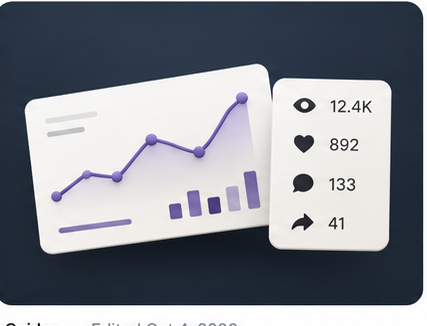
Ask most brands how their last creator campaign performed and you'll hear something like "pretty well, I think." That's because tracking UGC is usually a mess. Creators send screenshots when they remember, numbers are days or weeks old, and nobody puts them side by side.
If you can't measure it, you can't improve it. This guide covers the numbers that matter, how to calculate what you actually paid for, and how to stop relying on screenshots.
The Numbers That Matter
Views
The total number of times a video was watched. It's the simplest measure of reach and the starting point for everything else.
Likes, comments, and shares
These tell you whether people actually cared. Shares are especially valuable because they mean someone liked the video enough to send it to someone else.
Engagement rate
Engagement rate is likes, comments, and shares divided by views. It helps you compare videos with very different view counts. A video with fewer views but a much higher engagement rate might be the better creative to scale.
Cost per view and CPM
Cost per view is what you paid divided by the views you got. CPM is the same idea per 1,000 views. These are the numbers that tell you whether a creator was worth it, and they let you compare UGC against your paid ads.
Clicks and sales
If you're using affiliate codes or tracked links, clicks and orders show you which creators drive actual purchases, not just attention.
Why Screenshots Don't Work
Screenshots are a snapshot of one moment. A video that looks average on day two might keep growing for weeks. Screenshots are also easy to forget, hard to compare, and impossible to total up across a campaign.
You need numbers that update on their own.
How to Track UGC Properly
- Collect the live link for every post. No link, no tracking.
- Pull numbers straight from the platform. Connected Instagram and TikTok accounts can share views, likes, comments, and shares directly.
- Refresh regularly. Videos keep growing after they go live, so numbers should update over time.
- Put every creator side by side. Compare views, engagement, and cost per view across the whole campaign.
- Use what you learn. Rebook the creators and formats that perform, and drop the ones that don't.
What to Do With the Data
Good tracking should change your next campaign:
- Rebook your top creators. The best predictor of a great video is a creator who already made one for you.
- Find your winning formats. Look at which hooks, lengths, and styles performed best.
- Move winners into paid ads. Organic posts that perform well are strong candidates for ad spend. Run them as Spark Ads on TikTok or partnership ads on Instagram.
- Know your real cost. Compare your UGC CPM to your paid social CPM to see where your budget works hardest.
How Creator Tracks Every View
On Creator, every post is tracked automatically. Views, likes, comments, and shares come straight from Instagram and TikTok, broken down by creator and by post, with cost per view calculated against what you spent. Numbers update on their own, and you can refresh them anytime. No screenshots required. Book a demo to see a live dashboard.
The Short Version
- Track views, engagement, cost per view, and sales.
- Screenshots are outdated the moment they're sent.
- Pull numbers straight from the platforms and refresh them over time.
- Use the data to rebook winners and scale what works.